- Open VirtualBox and Click on
Filein top left and selectExport Appliance...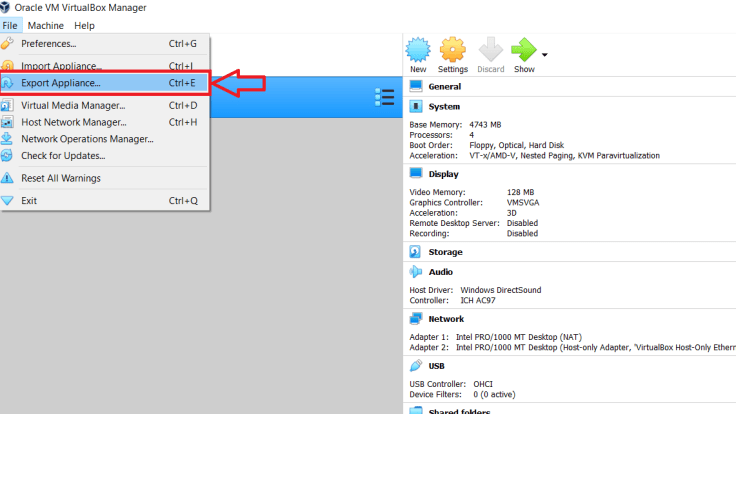
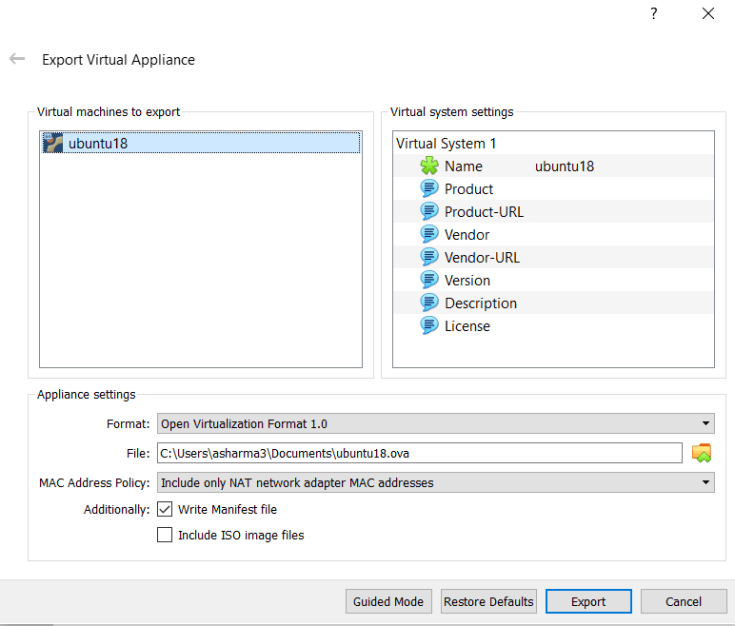
- Select the VM to export and enter the output file path and name. You can choose any format, by default it is OVF 1 and I prefer to go with it.
- Once you started exporting it looks like this
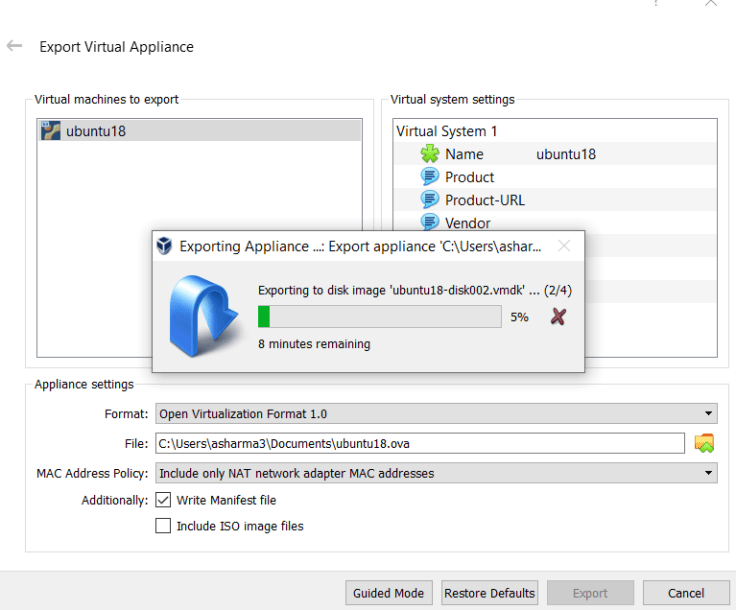 As this will finish export is done successfully.
Import
Open VirtualBox and enter into the File option to choice Import
You will then get an assistance window to help you loading the image.
- Enter the path to the file that you have previously exported
- Then you can modify the settings of the VM like RAM size, CPU, etc.
- Press
Importand done!Now you have cloned the VM from the host machine into another one
 Aditi Sharma